
Track Your Gym Consistency With the Hevy Calendar
Navigate to the Profile tab and select Calendar for a complete workout history, with all workout days highlighted in blue.
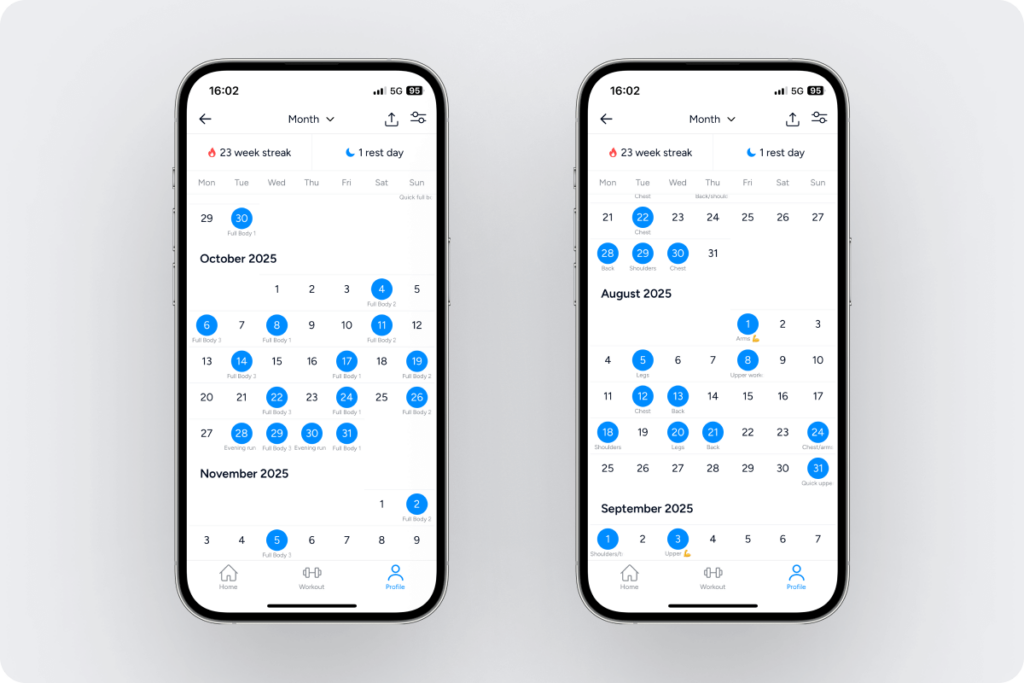
Tap on any blue circle date to open the workout and see it in detail:
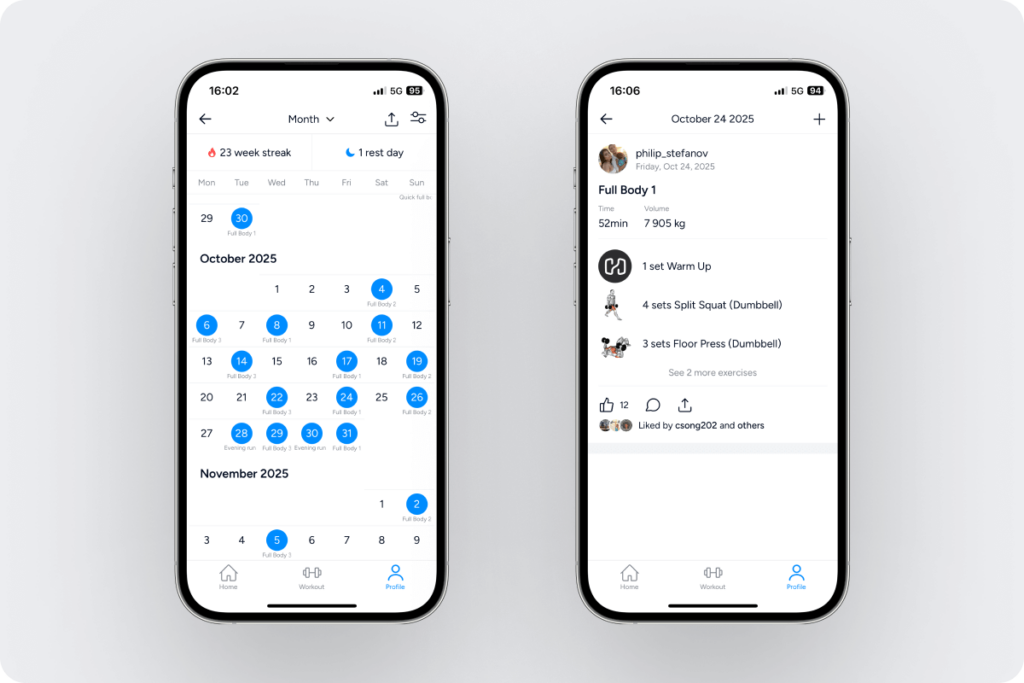
You can select the + icon on the top right to log an additional workout for the day:

Back in the calendar, you can also select a date with no workout to log a session:

You can build the workout, log the sets immediately, and change the session’s duration on the next screen before saving it to your profile. Learn about all the available options to save workouts here.
The icon on the top right of the gym calendar allows you to select the first day of each training week:

You can use Hevy’s home screen widgets to have the calendar on your homescreen, along with additional workout data.

Year and Multi-Year Hevy Calendar
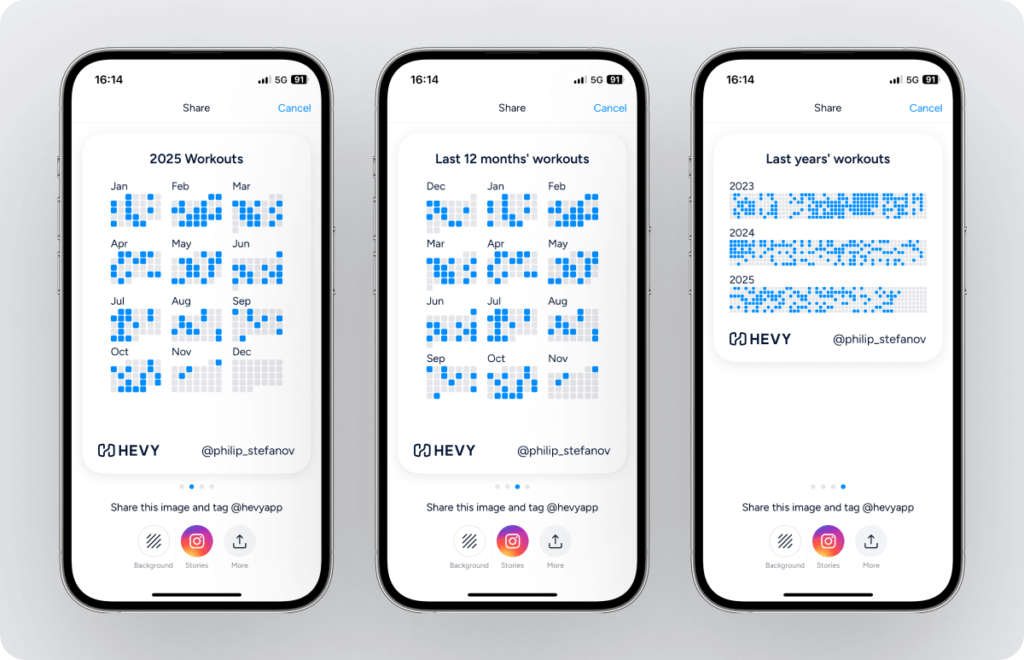
You can now zoom out on your training and see your gym calendar for the whole year:

Or since you first started using Hevy:

Proud of your consistency? Tap the upright arrow icon on the top right and share your preferred gym calendar view with friends outside Hevy:
Hevy Active Streak
At the top of the Calendar tab, Hevy shows how many rest days you’ve had since your last workout. On the left is your active streak, which keeps track of the number of consecutive weeks you’ve logged at least one session:

In addition to seeing it in the Calendar tab, Hevy displays the ordinal number of your streak when you complete your first session for the current week.
Having an active streak can be highly motivating to continue training even when you don’t feel like it. Some Hevy users have streaks well beyond 100 weeks: